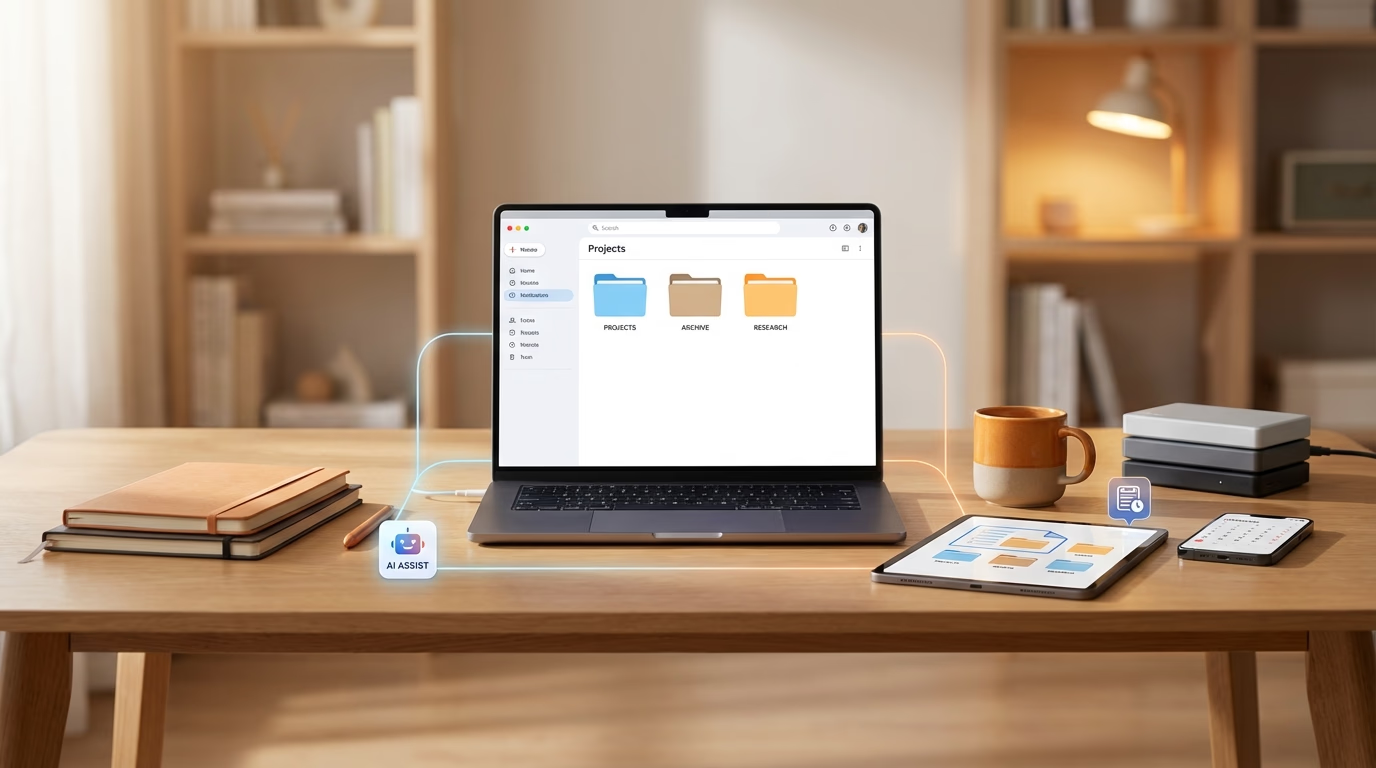
Most people are not disorganized by nature. They are just living in a world where notes, PDFs, screenshots, edits, reels, invoices and recordings are scattered across dozens of apps and devices.
If you are a student, a creator or a working professional, you have probably faced at least one of these problems:
- "Sir, I cannot find the PDF you sent"
- "Where did I have that final logo version"
- "I know I solved this exact question last semester, but I cannot find the file now"
You do not need a perfect system. You just need a simple one that your future self can actually live with. Here are five practical ways to build that smarter digital life.
1. Decide on a Single Home for Your Files
Before talking about naming, tags or AI, one thing matters more than anything else: pick one primary home.
Right now your files might be split between:
- Laptop desktop
- WhatsApp media
- Email attachments
- Random cloud links
- Phone gallery
This is the real reason things disappear. You are not losing files. You are losing track of which app has them.
For a student, that might mean: All lecture notes, assignments and PDFs live in one place. Photos of whiteboards and handwritten notes are uploaded there too.
For a creator: Raw footage, exports, thumbnails, brand assets, client briefs and invoices all stay in one system.
For a professional: Presentations, contracts, meeting notes, reports, receipts and documents sit together, not split over five platforms.
ZeroDrive is built to be that single home, but the principle is bigger than any one tool: if you are serious about not losing files, stop letting your work scatter everywhere. Bring it into one searchable space first.
2. Name for Your Future Brain, Not Your Present Moment
Most people name files for the moment they are created. That is how we end up with names like "New Doc 5", "final.pptx" and "really_final_version_3.pptx". In that moment you know exactly what it is. Two months later you have no idea.
A simple rule works well for students, creators and professionals: think of the filename as a short sentence your future brain will understand. One easy pattern is: what it is, who or which subject it belongs to, and roughly when it was made.
For a student this could look like Unit3_DSP_PolyphaseFilters_Notes_Apr2025.pdf. A creator might save a file as BrandShoot_BlueHorse_Storyboards_Jan2025.png. A professional might use something like ServiceAgreement_BlueHorseHospitality_Signed_Mar2025.pdf.
You do not have to be perfectly consistent or rigid. Even a slightly more descriptive pattern makes search easier. When you combine this kind of naming with a smart storage system that also reads inside the file, you get two layers of help.
Your future self will almost never search for "New Doc 5". They will search for "DSP unit 3 filters" or "Blue Horse agreement". Good names cooperate with that natural way of remembering.
3. Let AI Handle the Tagging and Deep Search
Even with better names, manual organization has limits. You are not going to sit and tag every file with ten keywords. You are not going to maintain a perfectly nested folder tree for the next five years.
This is where AI based storage starts to matter in a very practical way.
Systems like ZeroDrive read inside your documents, PDFs and in many cases your images and screenshots as well. From that content they can understand that a file is about digital payments and Fintech, or artificial intelligence and Industry 4.0, or perhaps a workspace feature implementation in a SaaS product. That understanding is stored as metadata and embeddings in the background without you doing anything extra.
For you, the effect is simple and concrete:
- As a student, you can type "examples of circular convolution from previous assignments" instead of trying to remember which folder holds that one PDF.
- As a creator, you can search "B roll clips with trains and Tokyo at night" instead of scrolling through hundreds of tiny video thumbnails.
- As a professional, you can type "GST invoice for client payment June" and have PDFs and screenshots shown together in one place.
You can still keep broad folders such as College, Clients or Finances if that feels comfortable. You simply no longer have to rely on them as the only way to find something. Your storage begins to feel like a search engine for your own life rather than a static filing cabinet.
4. Turn Messy Inputs into Clean Memories
The biggest enemies of a clean digital life are often not traditional documents. They are screenshots, photos of notes and random exports from different apps.
Students tap photos of every whiteboard. Creators screenshot analytics, comments and client briefs. Professionals capture payment confirmations and error messages. Almost all of this quietly sinks into phone galleries and chat threads where it becomes hard to use later.
A smarter approach is to treat these fragments as real documents instead of throwaway images. You can start with a simple habit, such as choosing one time in the day or once a week to upload new photos and screenshots from your phone into your main storage. That one routine keeps your important visuals from being trapped inside the gallery.
Once they are in ZeroDrive, the system can read the text inside many of those screenshots and photos so that the content becomes searchable. That whiteboard photo with "filter bank design" written in the corner is no longer just an image name. It actually carries the words that appeared on the board.
For especially important things such as a key sketch, an important project whiteboard or an exam pattern, adding a one line note makes it even stronger. A title or short description like "Exam pattern discussed for Fintech paper" or "ZeroDrive landing experiment 2 layout" gives your future self a clear hook to remember.
That tiny bit of discipline, combined with AI understanding, turns chaotic screenshots into a usable memory instead of a junk drawer.
5. Make Retrieval a Daily Habit, Not a Last Minute Panic
The whole point of a smarter digital life is not only storing better. It is better retrieving when you actually need something. The habit that really locks everything in place is very simple: use search first and folders second.
Whenever you are looking for a file, start by searching in natural language inside your storage. Type what you remember about the content, not what you think the exact file name might be.
Over time a few good things happen:
- You begin to trust your system because you can usually find what you want within one or two searches, which reduces that low level anxiety around "where did I save it".
- You also notice patterns in your own habits. If you repeatedly struggle to find a certain kind of file, it tells you that maybe those files need slightly clearer naming or a small convention such as always including the client name or subject.
Organization also stops feeling like a big separate task. Instead of waiting for one massive clean up once a year, you make small adjustments as you go. You rename a confusing file the moment it irritates you. You delete duplicates when they show up in search. It becomes part of normal use, not a special project.
ZeroDrive is designed with this retrieval first mindset. It expects you to ask questions the way you would ask another person, then works to bring the right files to the top of the results.
Bringing it Together
To stop losing files you do not need a complicated productivity method or a perfect minimalist desktop. You need a few simple foundations that support your real life behavior:
- Choose one primary home where everything lives so your work is not fragmented across ten services.
- Use human friendly names that your future self can guess.
- Rely on AI search that can understand the content inside your files instead of only their titles.
- Build a small routine that turns raw screenshots and photos into clean, searchable memories.
- Make it a habit to start with search before digging through folders.
When these pieces are in place, students become calmer around exams because they can actually find their old notes and solutions. Creators spend less time hunting for the right asset and more time in the creative zone. Professionals avoid those awkward "I will just send it again" moments with clients and colleagues.
A smarter digital life is not about forcing yourself to be perfectly organized. It is about shaping your tools and small habits so that your natural level of mess is still findable. When your storage behaves like a personal search engine for everything you have saved, the experience of losing files slowly fades into the background.